
What is it?
Phone number verification is a simple and effective way to connect you to your Optimity account. As an added plus, this also gets you access to exclusive rewards like gift cards!
Removing phone number from Optimity?
You can actually change your phone number by following these simple steps:
- Tap on the Profile Icon (located on the left-hand side of the Optimity home screen)
- Tap on Account
- Select Phone Number
- Click on the “Update Phone Number” button
- Input New Phone Number and select “Continue”
If you continue to encounter any further issues, simply give us a shout at: support@myoptimity.com
Why do I need to verify my phone number?
At Optimity, we use phone verification to connect you and your Optimity account. Not only does it add an additional layer of protection to your account; it also gives you full access to exclusive rewards like gift cards!
Can I access the Optimity app without verifying my phone number?
Definitely! You are free to continue using the Optimity app but will not be able to spend your gems on rewards.
Will my phone number be shared with anyone else?
None of your information will be shared with anyone without your consent nor will we ever text you or contact you via your phone number.
How to Set Up Phone Verification
1. Once you open the Optimity app, you will be automatically asked to verify your phone number, once completed click CONTINUE
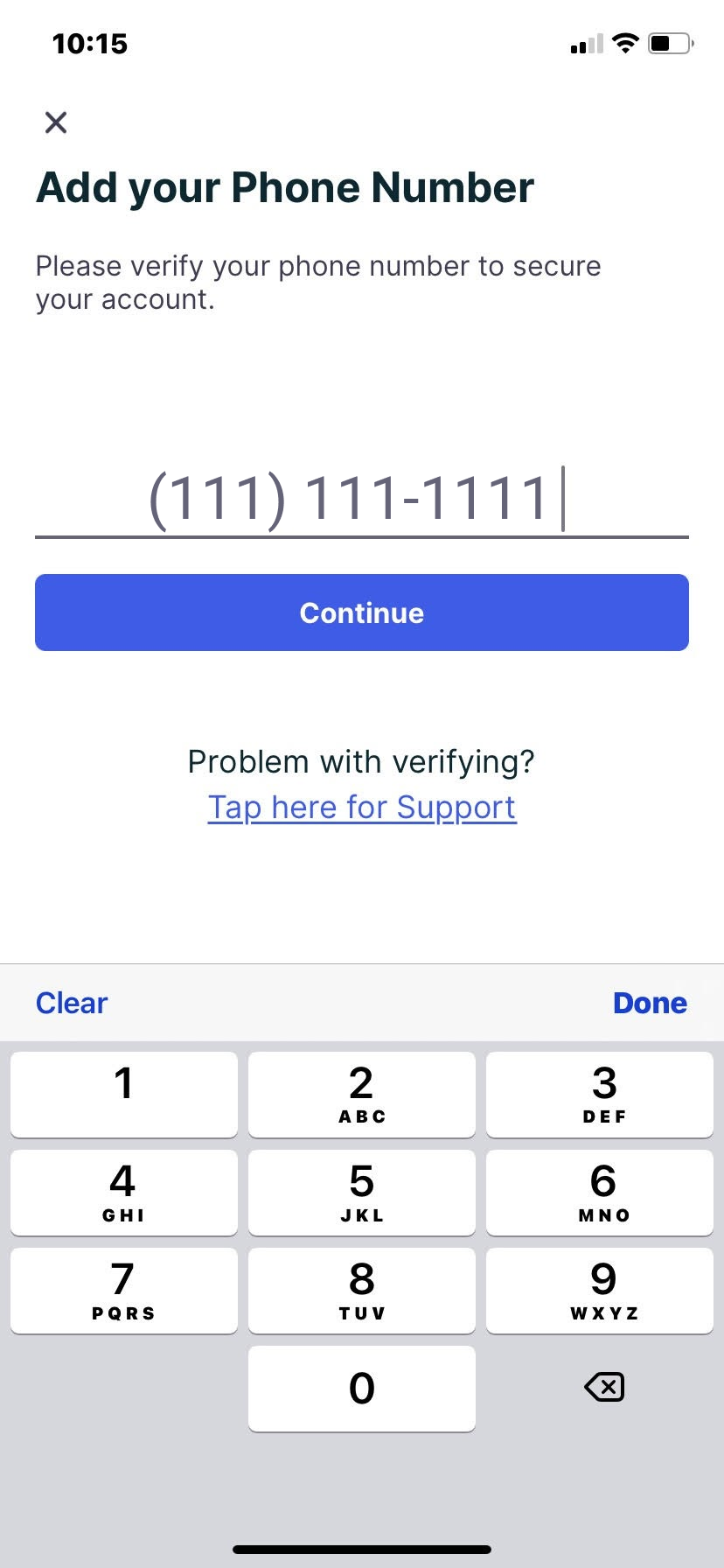
2. Once you enter a valid 10 digit phone number, you will receive a text message providing you with a unique the 6 digit code
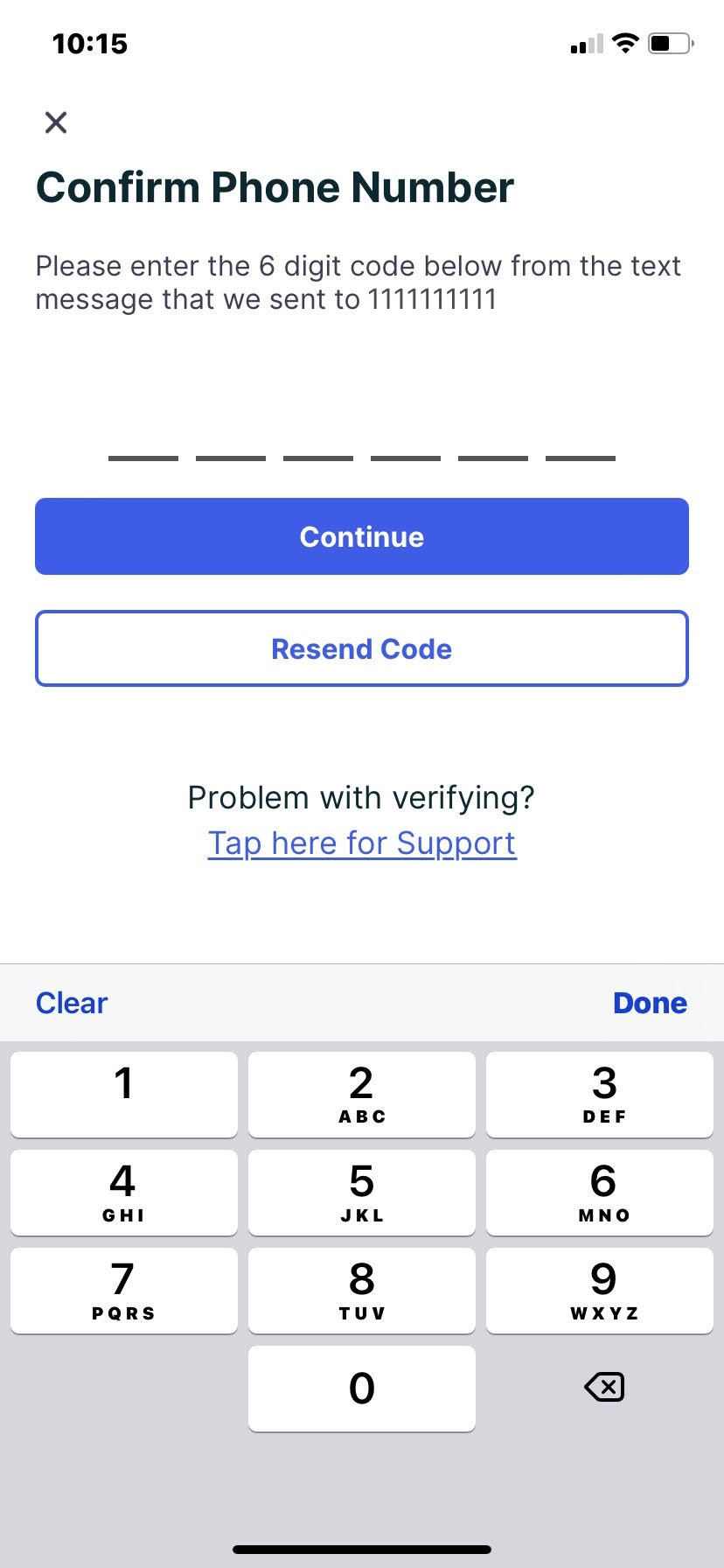
If you have any further issues involving phone verification; please submit your phone number, the email address associated with Optimity account, and all associated screenshots with error messages to support@myoptimity.com
Comments
0 comments
Please sign in to leave a comment.